Scale and Padding
Initial scale
scaleInitial: OrgChartJS.match.boundaryIfOutside
Auto zooms out the chart so that it stays within the visible boundaries both horizontally and vertically (fit to screen).
This is the default value.
Custom value
You can manually increase or decrease the scale.
The root node will always remain centered.
scaleInitial: OrgChartJS.match.boundary
Auto scales the chart to fully fit within both width and height boundaries.
scaleInitial: OrgChartJS.match.height
Auto scales the chart so all nodes are visible vertically (fit to height).
scaleInitial: OrgChartJS.match.width
Auto scales the chart so all nodes are visible horizontally (fit to width).
Controls
You can use Controls to adjust zoom:
Padding
The padding option sets spacing around all sides of the chart.
javascript
padding={20}Separation between nodes
You can control spacing using:
levelSeparationsiblingSeparationsubtreeSeparationmixedHierarchyNodesSeparation
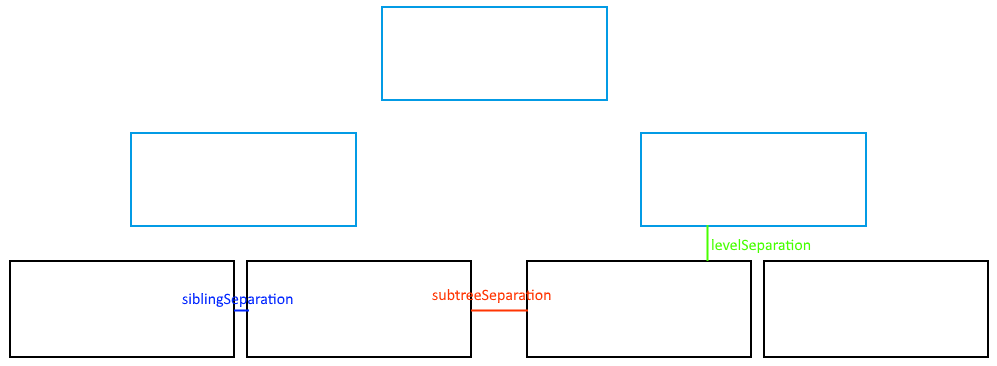
Example
javascript
levelSeparation={50}